A few of my clients use Comeet or Greenhouse to manage hiring. Both do the job well, and those clients pay a lot for them every year.
Smaller clients see that price and decide to skip it. They install a job board plugin, applications land in someone’s Gmail, and a few weeks later, nobody remembers who got a reply and who didn’t.
So I built a hiring system that runs inside WordPress. It’s called Vakanssi, and it’s free on wordpress.org. This post explains why I put it inside WordPress rather than telling those clients to pay for a hosted applicant tracking system (ATS), and when a hosted ATS is still the better call.
Full disclosure: I built Vakanssi, and I plan to sell a Pro version later. Read what follows with that in mind. I’ve tried to be clear about where it doesn’t fit.
What small companies end up with
A company that hires a few people a year usually ends up with one of two options:
- A job board plugin or a contact form that emails every application to someone.
- A hosted ATS, priced for companies with an HR team.
The first option is cheap, but it breaks down quickly:
- CVs sit in a shared inbox, mixed in with everything else.
- Nobody can see what stage each candidate is at.
- Rejection emails get forgotten, so candidates hear nothing.
- When a candidate asks you to delete their data, someone has to search through mailboxes.
The second option solves all of that, but it comes with a monthly bill. Hosted ATSs use different pricing models. Here’s what three of them list on their pricing pages (November 2026):
| Hosted ATS | How it’s priced | Listed starting price |
|---|---|---|
| Manatal | Per user | $15 per user per month, billed yearly |
| Workable | By company size | $299 a month for 1 to 20 employees |
| Breezy HR | Flat, unlimited users | $157 a month, billed yearly |
The flat plans run roughly $1,900 to $3,600 a year. Per-user plans start out lower, but the bill climbs with every hiring manager who needs access.
For a company that hires three people a year, that’s hard to justify, so many of them stay with the inbox.
Why the hiring system belongs inside WordPress
The company website already runs on WordPress, and the team already has logins. That covers most of what a hiring tool needs, so building on top of it made more sense than bringing in another service.
The careers page stays on your domain
Jobs are published as regular pages on the company’s own site, at /jobs/. Every eligible job includes job posting structured data, so Google can show it in job search results.
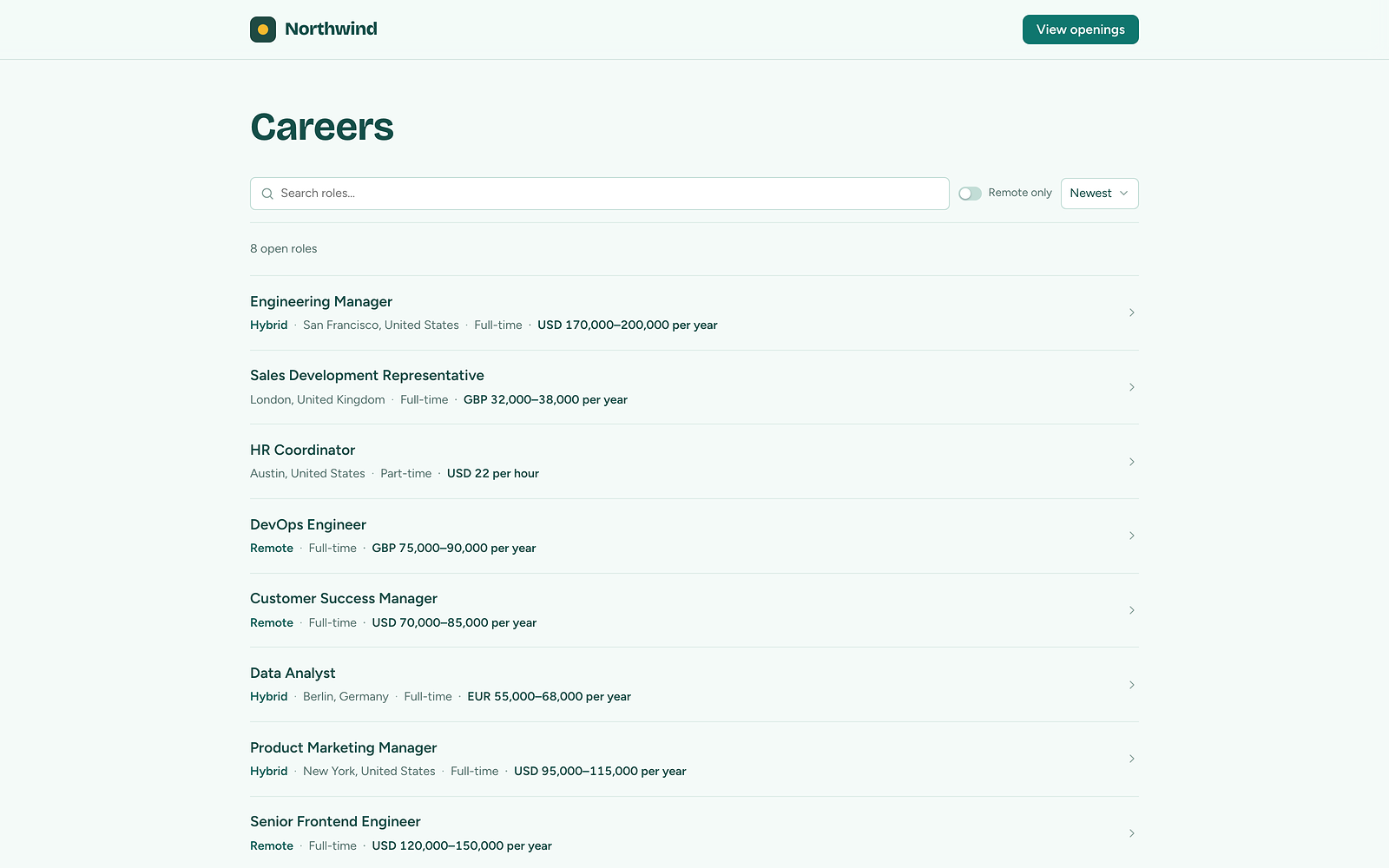
The careers page, marked up for Google for Jobs.
That matters more than it sounds. Google describes the benefit like this:
“Adding structured data makes your job postings eligible to appear in a special user experience in Google Search results.”
Google Search Central, Job posting (JobPosting) structured data documentation.
With a hosted ATS, your careers page can end up on the vendor’s domain or tucked inside an embed. With Vakanssi, the job pages, traffic and search results stay on your site.
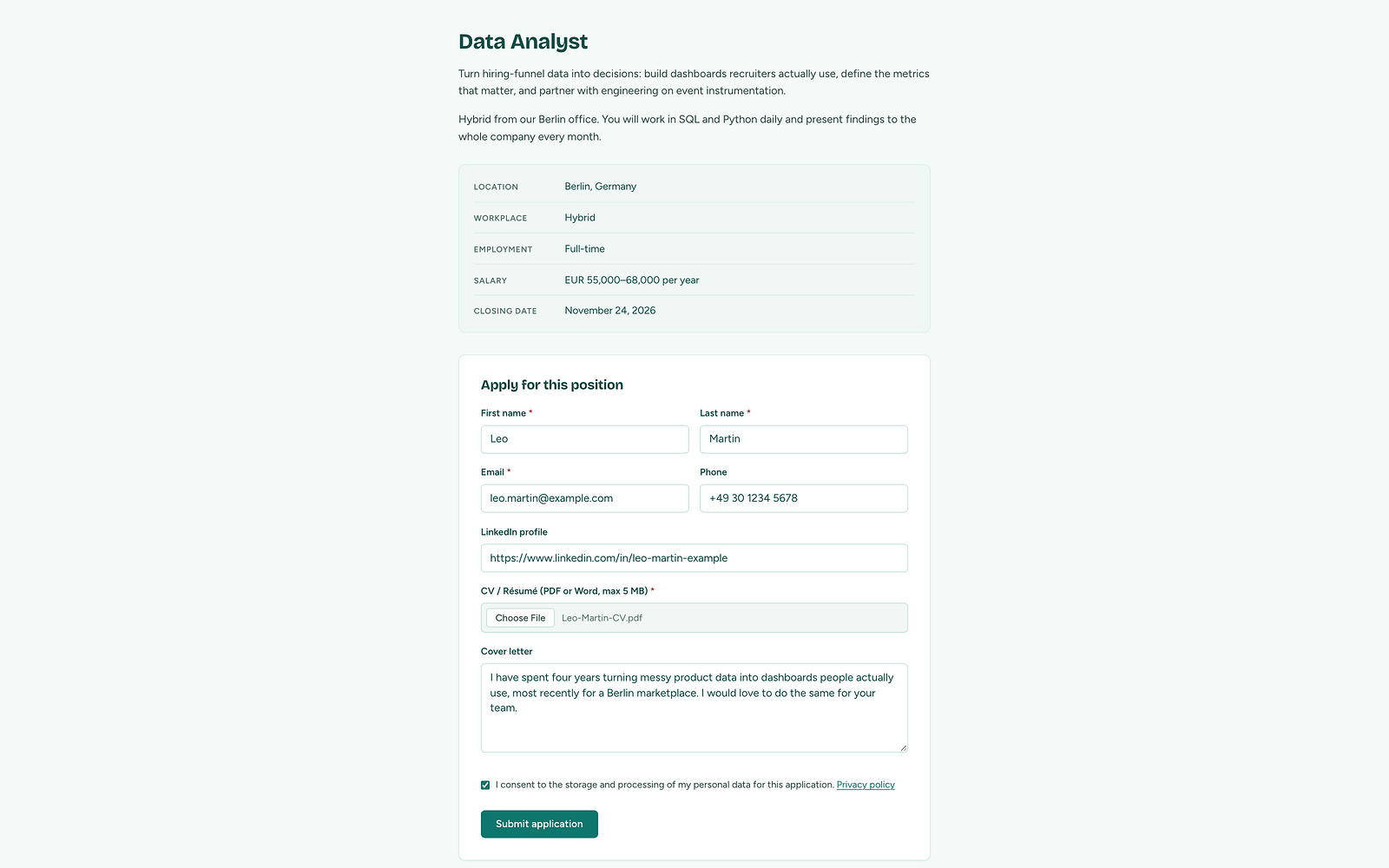
The application form lives on your own job page.
Candidate data stays on your server
Jobs are stored as a custom post type. Applications, notes and history go into the plugin’s own database tables, so they don’t fill up the posts table.
CVs get random 128-bit file names and only logged-in staff with permission can access them. By default, they sit in uploads/vakanssi, behind deny rules. Vakanssi also checks over HTTP that the folder can’t be read from the web.
If you’d rather keep CVs entirely outside the public site, the VAKANSSI_STORAGE_DIR constant moves them to a folder outside the web root.
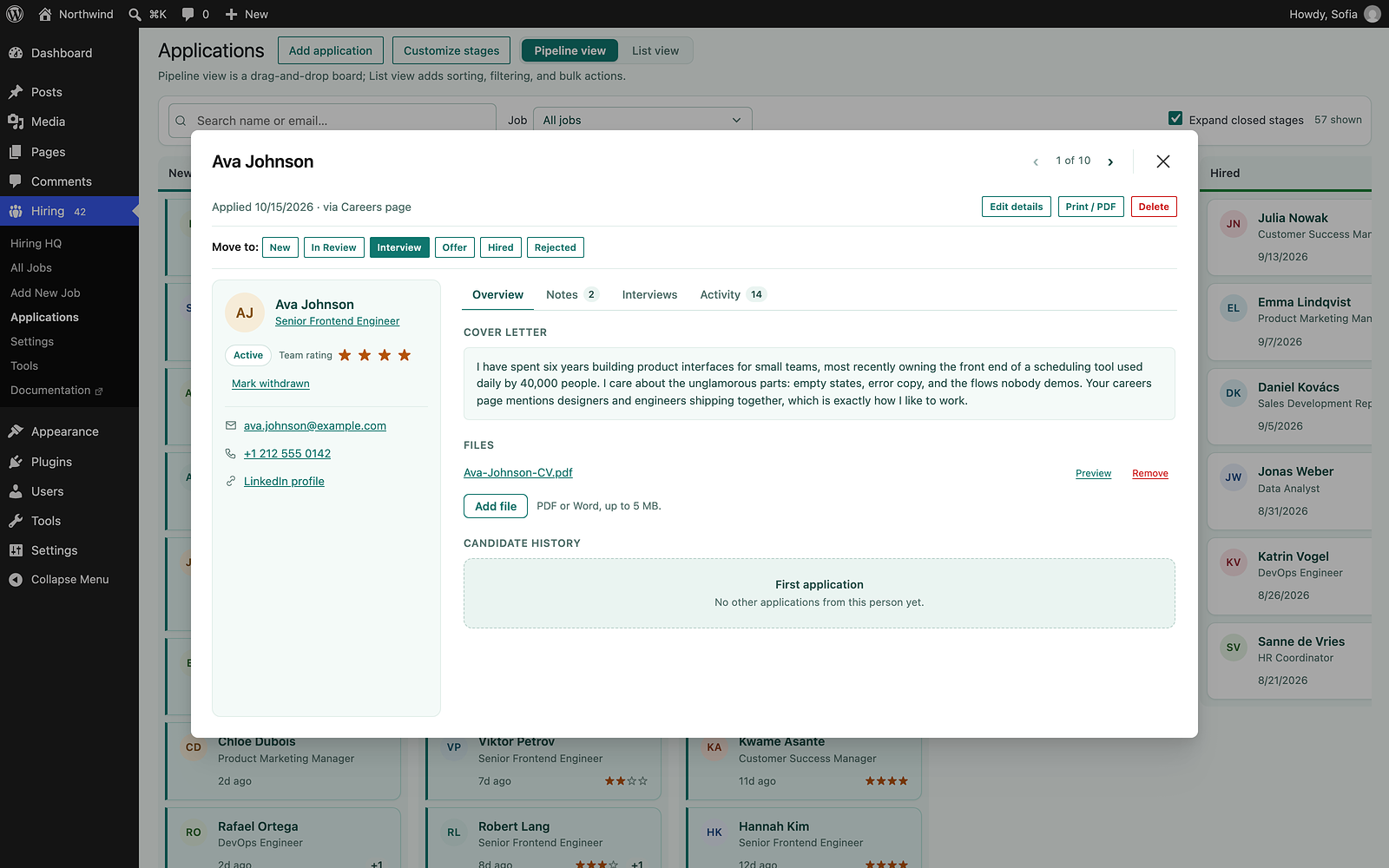
One candidate, with their cover letter, CV, rating and history all in one place.
Because everything lives in your database and uploads folder, your regular WordPress backups already cover it, provided they include uploads. If you moved CVs outside the web root, add that folder to your backup too.
There is no third-party cloud to export from if you leave.
The team works in wp-admin
The inbox, drag-and-drop pipeline board and candidate notes all live in wp-admin. WordPress roles and capabilities handle access, so there are no extra seats to buy or new accounts to manage.
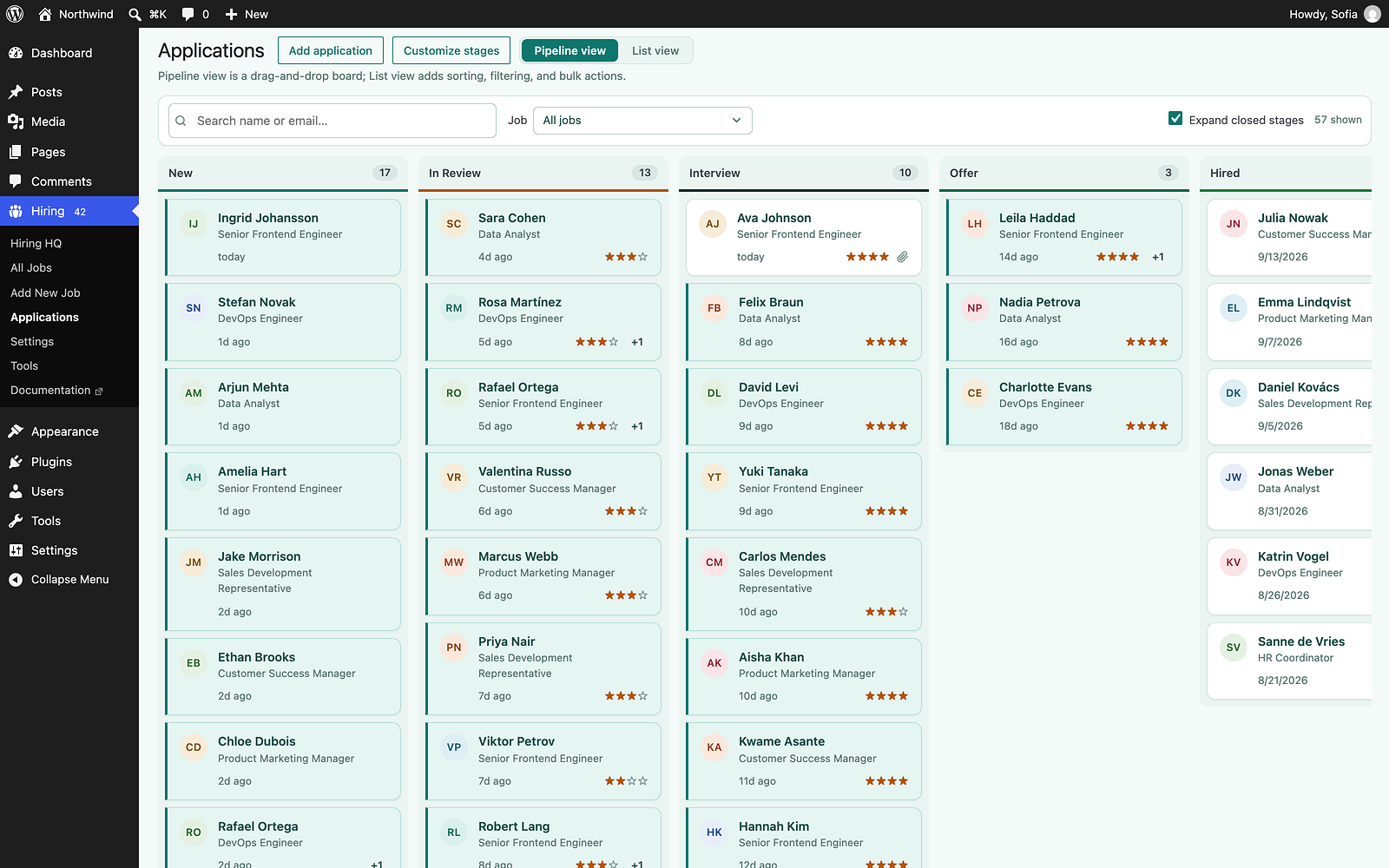
The hiring pipeline, where you drag candidates between your own stages.
The board talks to WordPress through its own REST routes, and routes returning candidate data check the user’s capabilities first. If you build anything similar, read how to secure the WordPress REST API before exposing CVs through it.
What the free version includes
Everything below comes with the free plugin on wordpress.org:
- A careers page with Google for Jobs markup.
- An application form with CV upload.
- An inbox and a drag-and-drop pipeline board.
- Team notes and interview logging. Interview invites go out as normal calendar invites, so there’s no Google or Outlook account to connect.
- Templated emails to candidates.
- GDPR export, erase and retention tools.
- CSV and PDF export.
- Import from WP Job Manager, Simple Job Board, WP Job Openings, or a CSV file.
- Right-to-left support. The careers page, wp-admin screens, printouts and candidate emails all mirror correctly in languages like Hebrew, and I tested them that way throughout development.
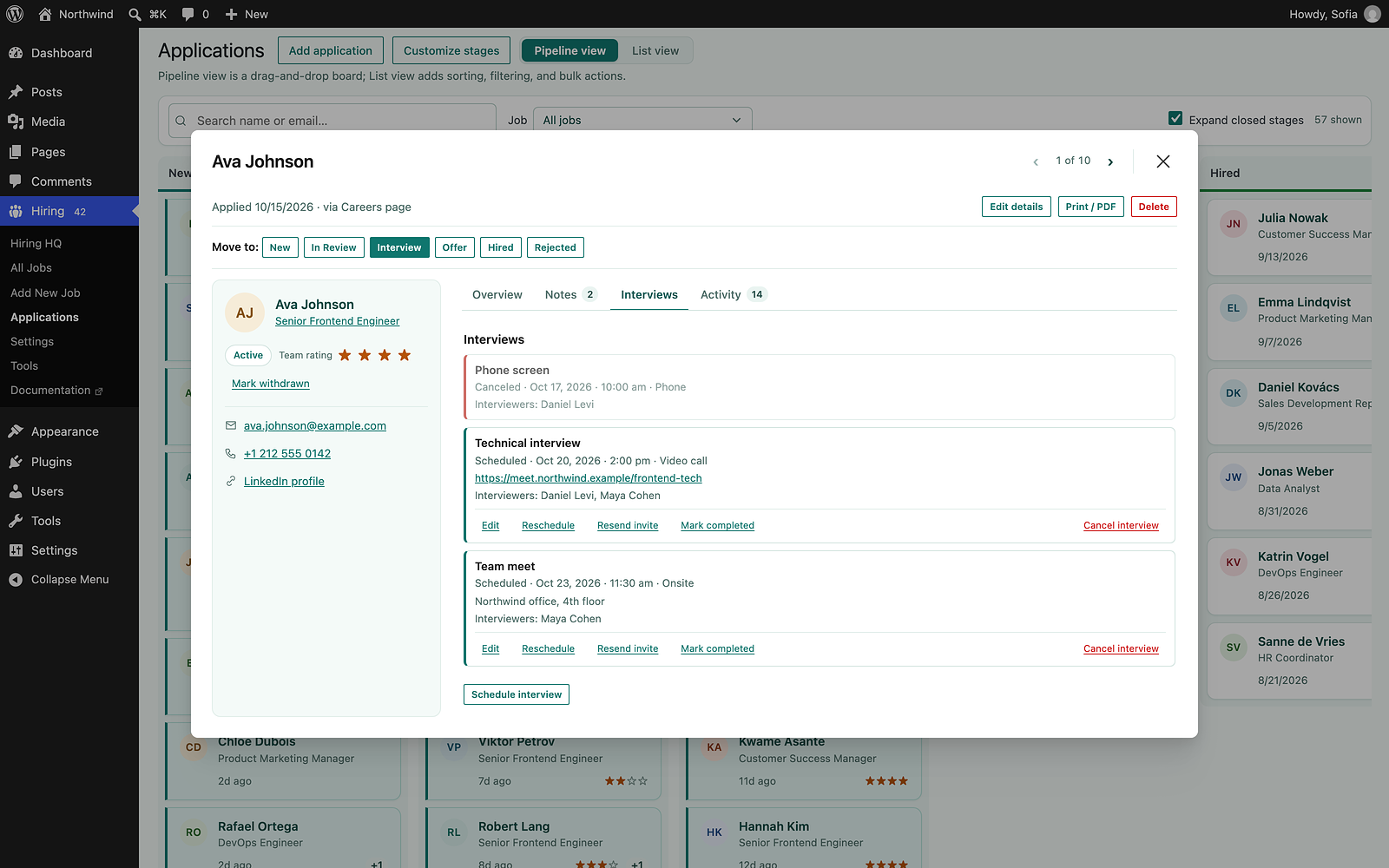
Interviews go out as real calendar invites.
It needs WordPress 6.6 or newer and PHP 7.4 or newer.
A Pro version is planned, but it is not on sale yet. It will add things like screening questions, scorecards, hiring analytics and email automation, priced per site rather than per seat. Nothing that’s free now moves into Pro.
When a hosted ATS is still the better choice
A plugin inside WordPress is not right for everyone. I’d still point a client to a hosted ATS in these cases:
- You hire constantly. A recruiting team filling many roles a month needs sourcing, reports and integrations that Vakanssi doesn’t have yet.
- You hire in several languages from one site. Vakanssi runs on multilingual sites, but it works in one language: there’s one careers page that every job links back to, and candidate emails go out in a single language. If you need a separate careers page and emails per language, a hosted ATS fits better today.
- Nobody maintains the site. Hiring data on your server means updates and backups are your job.
- Your site isn’t on WordPress. Then there’s nothing to build on.
Vakanssi is new. I released it on wordpress.org in October 2026, so there are surely cases I haven’t run into yet. Test it on a staging site before moving real applications into it.
How to try it
Install the plugin from wordpress.org and run the setup wizard. It asks for your company name, careers page and sender email.
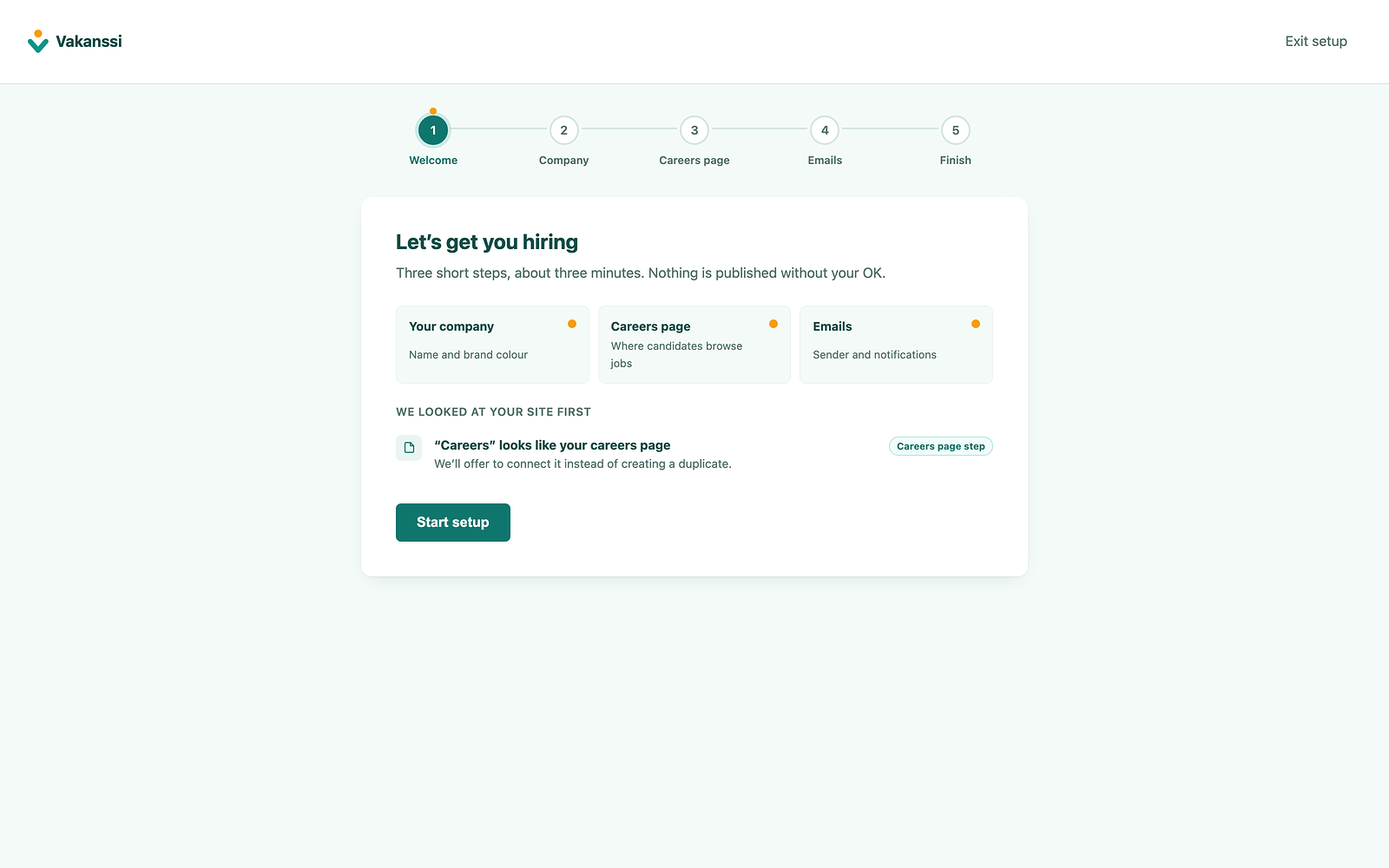
Setup checks your site first, then offers to reuse an existing careers page.
For a step-by-step walkthrough, from posting the first job to testing the application form, see Vakanssi’s guide on how to add a careers page to WordPress.
If you’re moving from another job plugin, run the import first so you don’t have to retype jobs and applications.
For everything after that, the Vakanssi documentation has more than 40 pages. It covers setup, the careers page, roles and permissions, privacy tools and backups, along with developer references for the REST API, hooks and database tables.
FAQs
Common questions about running hiring inside WordPress with Vakanssi:
Summary
Small companies need more than an inbox, but often can’t justify a hosted ATS. If the company site already runs on WordPress, the careers page, candidate data and team access can all live there.
That’s why I built Vakanssi inside WordPress. If you hire at scale, or need separate careers pages and emails for each language, a hosted ATS is still the safer choice.