If you’re thinking about building an online store, it’s reasonable to assume that you’ll encounter numerous options for setting up an online shop.
These options might initially appear straightforward, but they can quickly become overwhelming due to the many possibilities available in the market for creating digital commerce stores on the web.
In this post, we will take a look at one of the most popular solutions available in the market, called WooCommerce. We’ll provide a general overview of the plugin and explain why you should at least consider using this extension to build a virtual store on the platform we all love, WordPress.
What is WooCommerce Exactly?
WooCommerce is an extension for WordPress that comes in the form of a free plugin available for download from the WordPress plugin repository. This plugin currently has over 7 million active installations and powers roughly 35% of all online stores worldwide, making it the most widely used ecommerce platform on the web.
With WooCommerce, you can create a virtual store and use it to sell physical products, digital products, and even subscriptions. When installed and activated, WooCommerce provides core store functionality, such as product management, order management, and a shopping cart system.
It also offers essential features for online stores, including stock & inventory management, handling international customers, managing product taxes, shipping cost calculations, and even coupon usage and management, all without the need for additional extensions beyond WooCommerce itself.
However, it’s important to note that you can expand the default options through numerous extensions that allow you to add features like pre-ordering, product variations, order tracking, customer documentation, returns, warranties, and even options for selling online courses.
WooCommerce Competitors
There are quite a few competitors in the market for WooCommerce. They range from free and open-source systems to enterprise-level solutions. The popular ones include:
- Shopify – A hosted SaaS platform that handles hosting and maintenance for you. Very popular in the US market, where it leads with about 30% market share.
- Magento (Adobe Commerce) – An enterprise-level open-source platform, typically used by larger businesses with complex needs.
- Wix eCommerce – A website builder with built-in ecommerce features, suitable for smaller stores.
- Squarespace Commerce – A design-focused website builder with ecommerce capabilities.
- BigCommerce – A SaaS platform targeting mid-market and enterprise businesses.
- PrestaShop – An open-source ecommerce platform popular in European markets.
Despite strong competition, WooCommerce maintains the largest global market share among ecommerce platforms. Its integration with WordPress – which powers over 40% of the web – gives it a massive ecosystem advantage.
WooCommerce Developers
WooCommerce was originally created by the team at WooThemes in September 2011. In May 2015, WooThemes was acquired by Automattic, and today there are hundreds of developers contributing to the WooCommerce codebase. Some of these developers are part of Automattic’s team, while many are independent contributors within the WordPress community.
There are many developers and agencies that collaborate with the plugin development team, building extensions and creating WordPress themes that present the store differently. They also provide services for installation and customization of these stores, both functionally and aesthetically.
Advantages and Disadvantages of WooCommerce
Like any software, WooCommerce has its pros and cons. These are subjective and vary from person to person, but it’s important to consider them before choosing it as your platform for building a virtual store:
Advantages
- WooCommerce is an open-source system and a free plugin.
- The plugin can be easily installed on WordPress.
- There is a wide selection of themes available for building and designing the front-end of the store.
- There are hundreds of extensions available in the market, making the system highly extensible.
- The system receives regular updates with new features and performance improvements.
- High-Performance Order Storage (HPOS) provides significantly faster order processing, making WooCommerce suitable for high-volume stores.
- Block-based checkout and modern cart blocks provide a faster, more customizable checkout experience.
- There are many WordPress developers available in the market who can assist you in building and maintaining your virtual store.
Disadvantages
- Setting up WooCommerce may be more complex compared to hosted solutions like Shopify, since you also need to manage hosting, SSL, and updates yourself.
- While the WooCommerce plugin is free, you might need to purchase extensions to add specific functionality to your store.
- The multitude of options and extensions can sometimes be overwhelming for beginners.
- Managing a WooCommerce-based store, especially with significant traffic, requires reliable and potentially more expensive hosting.
- Customization beyond the capabilities of themes and extensions might require a good understanding of WordPress development.
- WooCommerce updates occasionally require developer intervention to ensure compatibility with themes and other plugins.
Extensions – WooCommerce Extensions
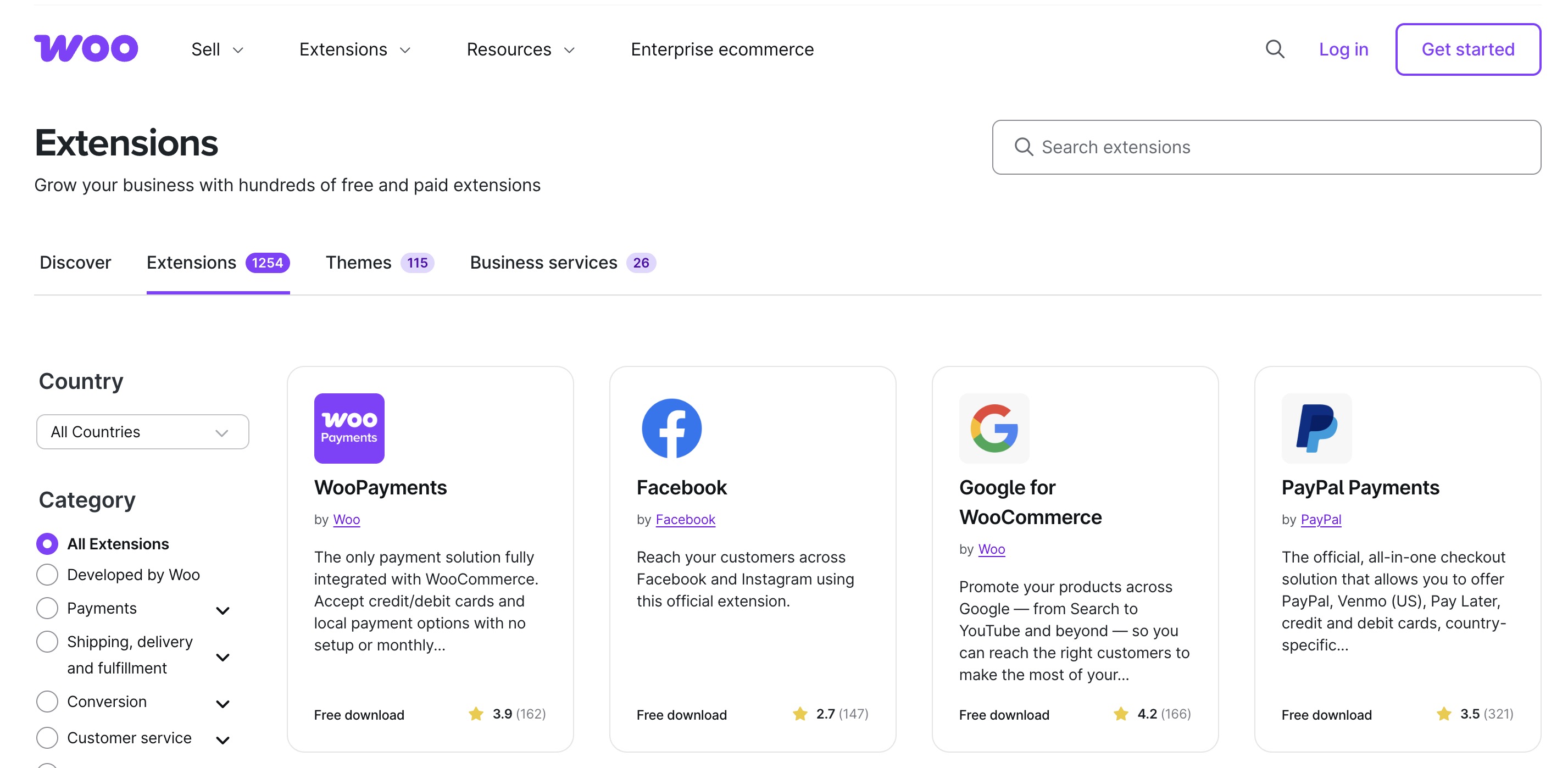
One of the major advantages of WooCommerce, as mentioned in the list above, is the extensions for the plugin (Extensions). Here are some examples of popular extensions:
- WooCommerce Payments – Accept credit card payments directly in your store, managed from within the WordPress dashboard.
- WooCommerce Subscriptions – Sell products and services with recurring payments.
- WooCommerce Google Analytics Integration – Connects WooCommerce to Google Analytics and enables advanced ecommerce reports.
- WooCommerce PDF Invoices & Packing Slips – Provides customers with invoices in PDF format that can be downloaded or printed.
- AutomateWoo – Automates marketing workflows such as abandoned cart emails, win-back campaigns, and personalized coupons.
These are just a few examples of the extensions available, and there are many more. These extensions allow store owners to take a basic virtual store and turn it into a highly robust and functional system.
Is WooCommerce the Right E-Commerce Platform for Your Online Store?
There is no system that is ideal for every user or every situation. If you are unsure which system to choose, it would be wise to go through a process that will help you determine the most suitable solution for building your virtual store.
Instead of reading reviews about WooCommerce, it would be better to start by writing down a list of your personal needs and requirements for the virtual store you are about to build.
Consider functionality, documentation, and even support in the decision-making process. Once you have a well-organized list of needs, compare it to the variety of solutions available in the market and see if WooCommerce meets your requirements.
If you are already using WooCommerce for your digital store, take a look at the guide on how to set up a virtual store using WooCommerce or click on the WooCommerce and Online Stores category in the top menu.
FAQs
Common questions about WooCommerce:
Conclusion
WooCommerce remains the most widely used ecommerce platform in the world, powering millions of online stores. Its open-source nature, deep integration with WordPress, and massive ecosystem of extensions make it a flexible and powerful choice for building a virtual store.
For more WooCommerce guides, explore our posts on setting up a WooCommerce store, managing stock and inventory, and mastering WooCommerce hooks.