You’ve seen the demos. Someone types a sentence, and a full web app appears in minutes. Base44 became one of the breakout vibe-coding products, especially after Wix acquired it in June 2025. Bolt, Lovable, and v0 all promise the same thing. Describe what you want, and AI builds it. When one of those builds needs to become a real, editable, indexable site, here is how I convert a v0, Lovable, or Bolt prototype to production WordPress.
Now you’re wondering: can I do this for my WordPress site? It depends on which tool you pick, and most people pick wrong. “Vibe coding” is not one thing. It’s a spectrum from fully AI-generated apps to AI-assisted development, and where you land on that spectrum determines whether you get a working WordPress site or a security liability.
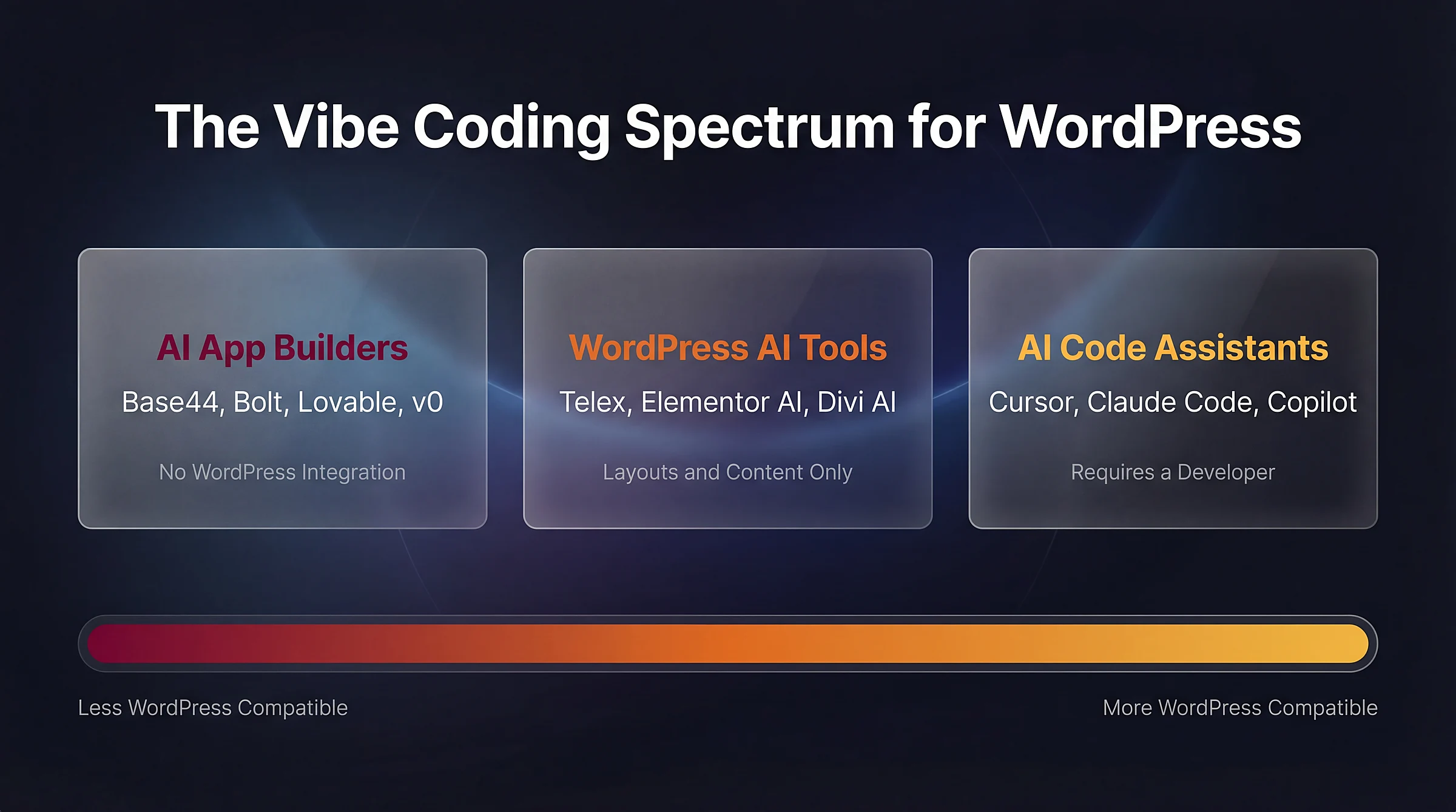
The vibe coding spectrum for WordPress: from AI app builders with no WordPress integration to AI code assistants that require a developer
What Is Vibe Coding (And Why WordPress Is a Special Case)
AI researcher Andrej Karpathy coined the term in February 2025:
There’s a new kind of coding I call “vibe coding”, where you fully give in to the vibes, embrace exponentials, and forget that the code even exists. I “Accept All” always, I don’t read the diffs anymore. It’s not too bad for throwaway weekend projects, but still quite amusing.
The concept took off fast. Collins Dictionary named “vibe coding” its Word of the Year for 2025. The audience expanded far beyond developers. A large share of the vibe-coding audience now appears to be non-developers, including founders, marketers, and small business owners.
Here’s the problem. The tools that power vibe coding were built to generate standalone applications: React frontends, Node backends, cloud-hosted databases. They work well for that.
WordPress is not that.
WordPress is a 20-year-old ecosystem built on PHP. It has a hook-based architecture and a plugin system that thousands of extensions depend on, with strict security requirements that most AI tools were not built to respect.
AI App Builders and WordPress: What They Can and Can’t Do
Most people hear “vibe coding” and think of Base44, Bolt.new, Lovable, and v0 by Vercel. These are AI app builders. You describe what you want, and they generate a complete application.
They can build you a website. They do not generate native WordPress themes or plugins, so they are generally a poor fit for building or extending a traditional WordPress site. These tools target modern web app stacks like React, Next.js, TypeScript, and hosted backends. If you use them, you’re building something separate from WordPress.
Three Ways This Plays Out
There are three possible outcomes when you try to use an AI app builder for a WordPress project:
| Scenario | Does It Work? | What You Lose |
|---|---|---|
| Build a standalone site, skip WordPress | Yes | Plugin ecosystem, CMS workflow, SEO tools, everything WordPress provides |
| Use WordPress as a headless CMS with an AI-built frontend | Technically possible | Admin editing experience, theme system, most plugins. Designed for dev teams, not business owners |
| Modify or extend an existing WordPress site | No | These tools are not designed to generate WordPress-native themes or plugins, and are a poor fit for extending an existing site |
What Each Tool Actually Generates
These tools primarily target modern web app stacks, not native WordPress PHP development:
| Tool | Output | WordPress Compatible? |
|---|---|---|
| Base44 | React frontend + proprietary backend SDK (not exportable) | No |
| Bolt.new | Full-stack apps (React, Next.js, Vite) | No |
| Lovable | TypeScript/React + Supabase (database, auth) | Headless CMS only |
| v0 by Vercel | Primarily React/Next.js components | No |
Worth noting: a third-party “Base44 to WordPress Converter” service has appeared to bridge the gap between Base44 and WordPress. Its existence tells you how wide that gap is. Security researchers also reported that more than 170 Lovable-built apps exposed data because of misconfigured or missing database access rules (CVE-2025-48757).
WordPress AI Tools That Actually Work (Within Limits)
Some tools were built specifically for WordPress. They’re more limited than the app builders, but they actually integrate with your site.
Telex by Automattic
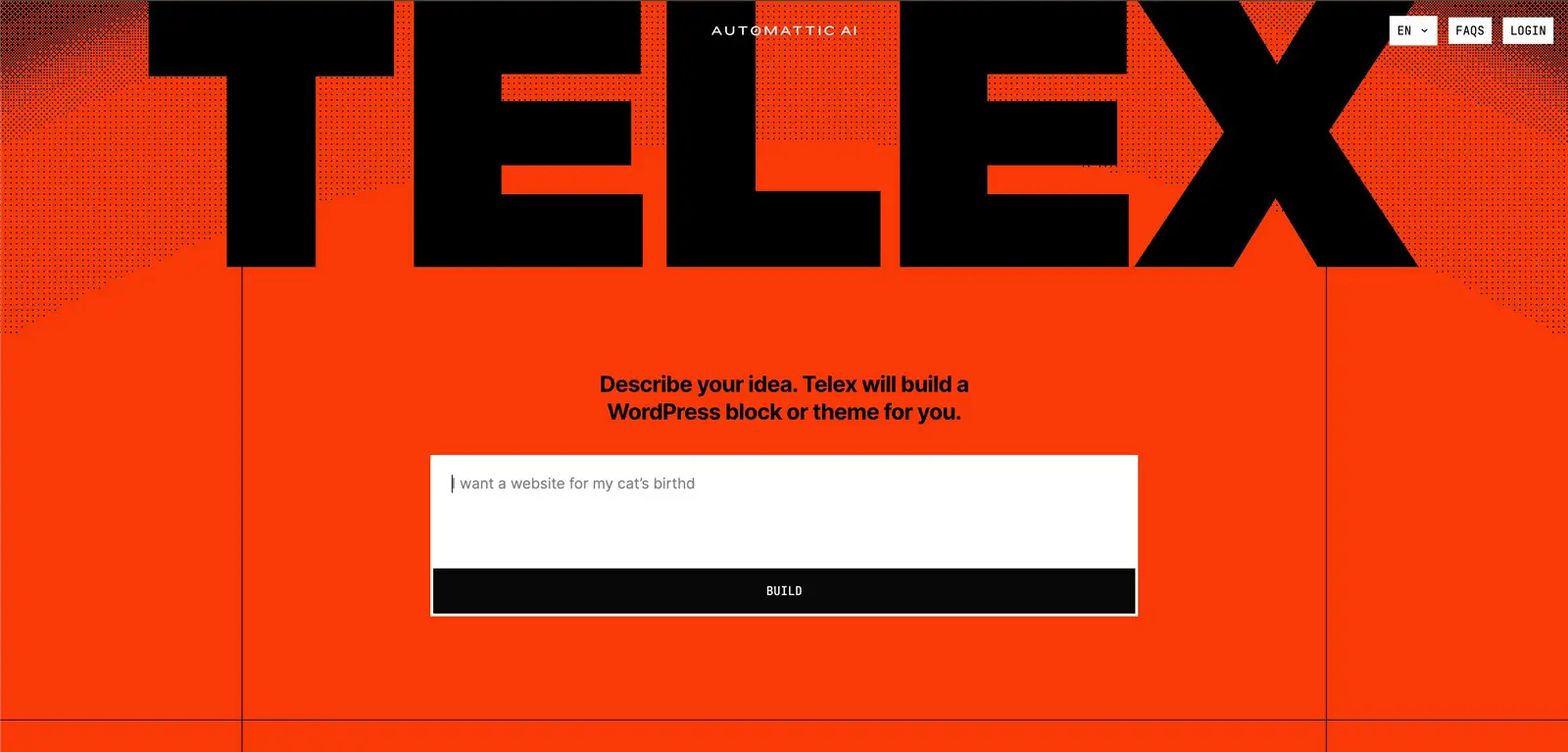
In December 2024, Automattic acquired WPAI, the team that built CodeWP, an AI code generator trained specifically on WordPress. CodeWP was sunset, and the team built its successor: Telex. Matt Mullenweg described it as “v0 or Lovable, but specifically for WordPress.”
Telex generates Gutenberg blocks from natural language prompts. As of early 2026, it supports napkin-sketch uploads and external editor integration with VS Code and Cursor. It’s available in seven languages. Still evolving, but it’s the closest thing to “vibe coding for WordPress” that works within the ecosystem.
Page Builder AI Features
The major WordPress page builders have added AI capabilities:
- Elementor AI includes an AI Site Planner for wireframes, an AI Copilot for design and content, and an AI Context feature that learns from your existing content.
- Divi AI generates text, images, and CSS code. It can produce a full website with multiple pages, navigation, and global styles. Unlimited generation at $18/month.
- SeedProd AI generated a full WordPress site in 33 seconds in a WPBeginner test. Tight integration with its drag-and-drop builder for post-generation customization.
These tools handle content generation, layouts, and simple customizations well. They hit a wall when you need custom business logic, security-sensitive code, or cross-plugin interaction.
If you’re weighing page builders against custom development, read our comparison of custom WordPress themes vs page builders.
How Developers Actually Use AI for WordPress
This is where vibe coding genuinely works for WordPress, but only if you’re a developer or working with one.
The tools here are AI code assistants: Cursor, Claude Code, and GitHub Copilot. AI code assistants are already part of many WordPress developers’ workflows.
They don’t generate complete applications. They sit inside a developer’s workflow and accelerate what the developer already knows how to do. They don’t replace WordPress knowledge. They multiply it.
Where AI Accelerates WordPress Development
Here’s what this looks like in practice:
| Task | What AI Handles | What the Developer Handles | Time Saved |
|---|---|---|---|
| Scaffolding a custom plugin | File structure, menu hooks, settings fields, sanitization callbacks | Architecture decisions, code review | Hours of work down to minutes |
| Generating a Gutenberg block | block.json, edit/save components, PHP registration | WordPress Coding Standards compliance | Hours of boilerplate eliminated |
| Writing unit tests | PHPUnit scaffolding, setup, teardown | Verifying assertions match business logic | Fast scaffolding, focused review |
In all three cases, AI does not eliminate the need for WordPress expertise. It eliminates the tedious parts so the developer can focus on the decisions that matter.
Where Even Developers Hit Limits
AI code assistants are not infallible, even in a developer’s hands:
- Hallucinated hooks. AI sometimes suggests WordPress functions or hooks that don’t exist. The code looks plausible until it fails silently in production.
- Outdated APIs. Training data has cutoffs. AI may generate code using deprecated functions from two WordPress versions ago.
- Inconsistent security patterns. AI “knows” about nonces, capability checks, and output escaping. But it applies them inconsistently. A function might sanitize one input and skip the next.
A developer at Delicious Brains built a simple WordPress plugin with Cursor: a Simpsons quotes widget, about 170 lines of code. When another developer ran it through the WordPress Plugin Check tool, it flagged 18 security-related errors. That’s roughly one vulnerability every 9.5 lines.
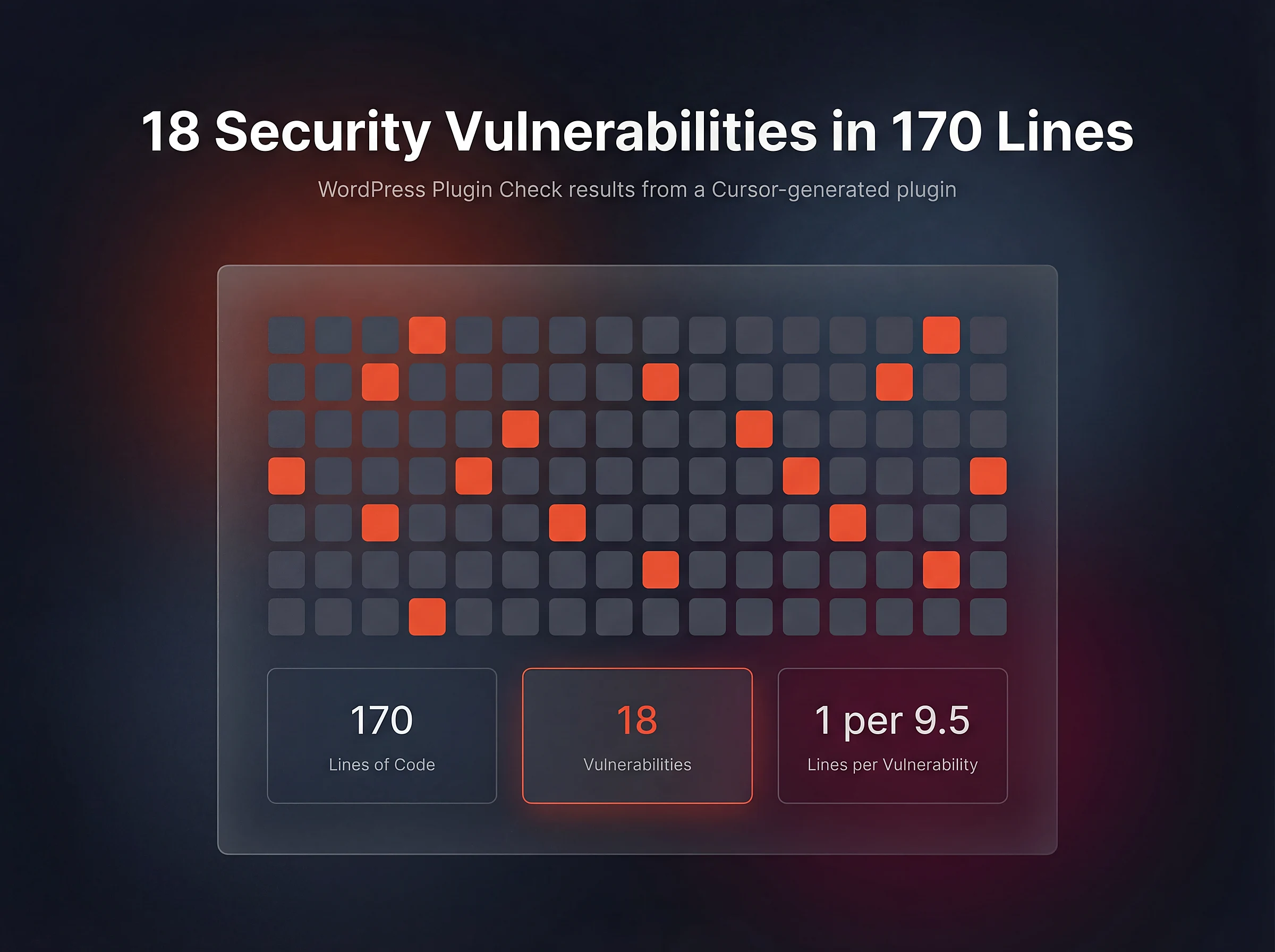
WordPress Plugin Check results from a Cursor-generated plugin: 18 security vulnerabilities in just 170 lines of code
On the other end, developer Nathan Onn built a full WordPress plugin in 50 minutes with Claude Code. Wireframing took 5 minutes, building took 30, refining took 15. The result followed WordPress coding standards, included internationalization support, and worked with multisite.
Both stories are true. The difference is not the tool. It’s the developer reviewing the output.
What Breaks When You Vibe Code WordPress
Regardless of which tier you use, AI-generated WordPress code shares common failure modes.
Security
This is the most critical issue.
permission_callback declarations on REST endpoints, and inconsistent output escaping.These are not hypothetical risks. The AI Engine plugin, with over 100,000 active installations, had serious vulnerabilities, including an arbitrary file upload flaw (enabling remote code execution) and a separate bearer-token exposure issue via the REST API.
Architecture and Technical Debt
Joost de Valk, founder of Yoast SEO, highlighted a fundamental problem in a detailed blog post:
Joost de Valk has argued that WordPress needs a clearer design-system foundation, because AI-generated work becomes hard to maintain when there are no consistent constraints. Without a unified system, vibe-coded blocks become independent technical debt projects.
A December 2025 analysis of 470 open-source GitHub pull requests backs this up. AI co-authored code contained roughly 1.7 times more issues overall than human-written code.
The 80/20 Problem
This is the most common trap for business owners evaluating vibe coding.
Update Fragility
WordPress sites don’t exist in a vacuum. Core updates multiple times a year. Plugins update weekly. PHP versions change. AI-generated code that works today may break silently after the next update cycle.
According to the Patchstack 2026 security report, 11,334 new WordPress vulnerabilities were recorded in 2025. That’s a 42% increase year over year, with a 113% increase in highly exploitable vulnerabilities. High-impact WordPress vulnerabilities are often exploited very quickly after disclosure, sometimes within hours.
When to Vibe Code and When to Call a Developer
The decision is not about complexity. It’s about risk.
| Scenario | Approach | Why |
|---|---|---|
| Static landing page | Vibe code confidently | Low risk, easy to fix, no sensitive data |
| Content layout adjustments | Vibe code confidently | Page builder AI tools handle this well |
| Simple CSS changes | Vibe code confidently | Visual, easily reversible |
| Prototype or wireframe | Vibe code confidently | Throwaway by nature |
| Simple plugin (display widget, admin utility) | Vibe code + developer review | AI scaffolds well, but security review is essential |
| Custom Gutenberg block | Vibe code + developer review | Structure is predictable, edge cases aren’t |
| Payment or checkout flow | Hire a developer | Handles money and personal data |
| User authentication system | Hire a developer | Security-critical, requires expertise |
| Multi-plugin integration | Hire a developer | AI can’t predict how plugins interact |
| Site that must survive years of updates | Hire a developer | Maintenance requires understanding, not just generation |
A business owner who vibe-codes a landing page is being smart. A business owner who vibe-codes a checkout flow is taking on risk they may not understand.
Vibe coding is a real tool. Use it where the risk is low and the payoff is real. For the work that actually runs your business, the cost of getting it wrong exceeds the cost of getting it right the first time. If you already have an AI-built prototype and need it rebuilt properly, take a look at my vibe code to WordPress service.
FAQs
Common questions about vibe coding for WordPress:
Summary
Vibe coding is a real tool, not magic. For WordPress, the spectrum matters. App builders can’t touch it. WordPress-specific AI tools handle layouts and content. AI code assistants accelerate developers but don’t replace them. Know where your project sits on that spectrum. Use AI where the risk is low. For everything else, invest in expertise.