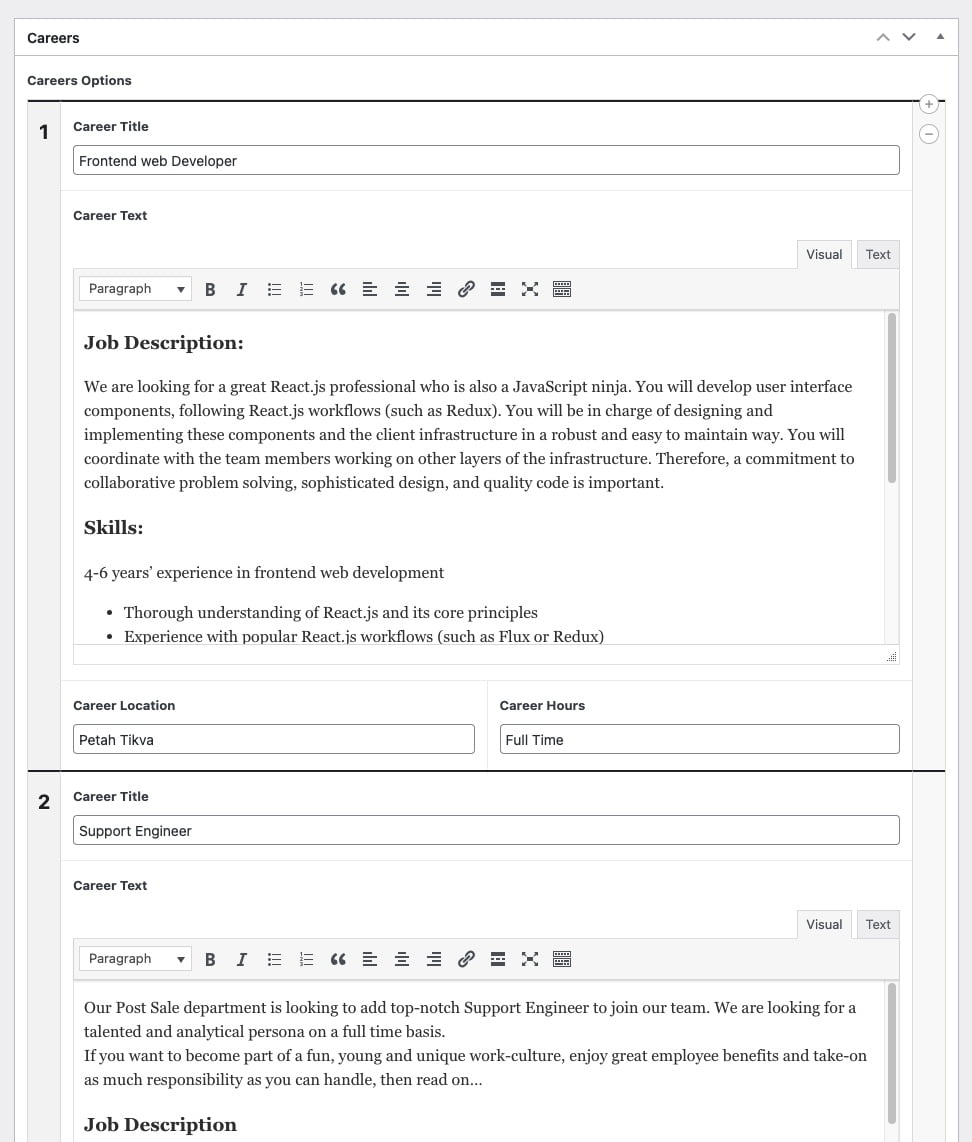
Here is how to add CSS to the ACF admin interface. In this case, we made Repeater Fields have clearer separation. Several other changes were made to improve the interface readability:
Note: Remove the opening PHP tag from the code…
<?php
function my_acf_admin_head() {t?>
    <style type="text/css">

        .acf-flexible-content .layout .acf-fc-layout-handle {
            background-color: #202428;
            color: #eee;
        }

        .acf-repeater.-row > table > tbody > tr > td,
        .acf-repeater.-block > table > tbody > tr > td {
            border-top: 2px solid #202428;
        }

        .acf-repeater .acf-row-handle {
            vertical-align: top !important;
            padding-top: 16px;
        }

        .acf-repeater .acf-row-handle span {
            font-size: 20px;
            font-weight: bold;
            color: #202428;
        }

        .imageUpload img {
            width: 75px;
        }

        .acf-repeater .acf-row-handle .acf-icon.-minus {
            top: 30px;
        }

    </style>
t<?php
}

add_action( 'acf/input/admin_head', 'my_acf_admin_head' );
And here is the result for the Repeater. Notice the separator line?