
The following code adds a new widget to the WordPress Dashboard. You can of course set what content appears in this widget. Add this code to your theme’s functions.php file:
add_action('wp_dashboard_setup', 'my_custom_dashboard_widgets');

function my_custom_dashboard_widgets() {
    wp_add_dashboard_widget('custom_help_widget', 'Help and Support', 'custom_dashboard_help');
}

function custom_dashboard_help() {
    echo '<p>Lorum ipsum delor sit amet et nunc</p>';
}
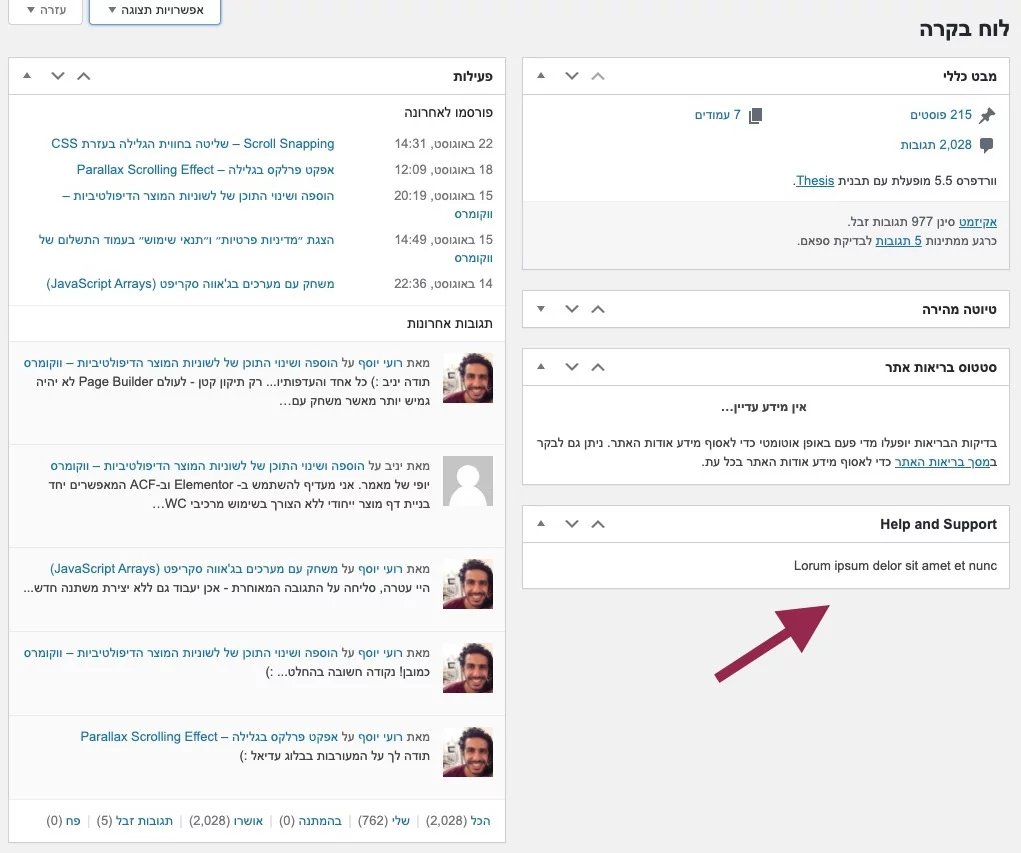
It looks like this:
For safe theme customizations, see What Are Child Themes and How to Use Them.