Lighthouse 13.3 added a fifth audit category: Agentic Browsing. It checks how well your website works when an AI agent browses it on a user’s behalf. That makes it one of the first browser-level signals for what people are starting to call the agent-ready web.
In this guide, I will walk through the four audits, what each one looks for, and the fixes that are actually in your control today.
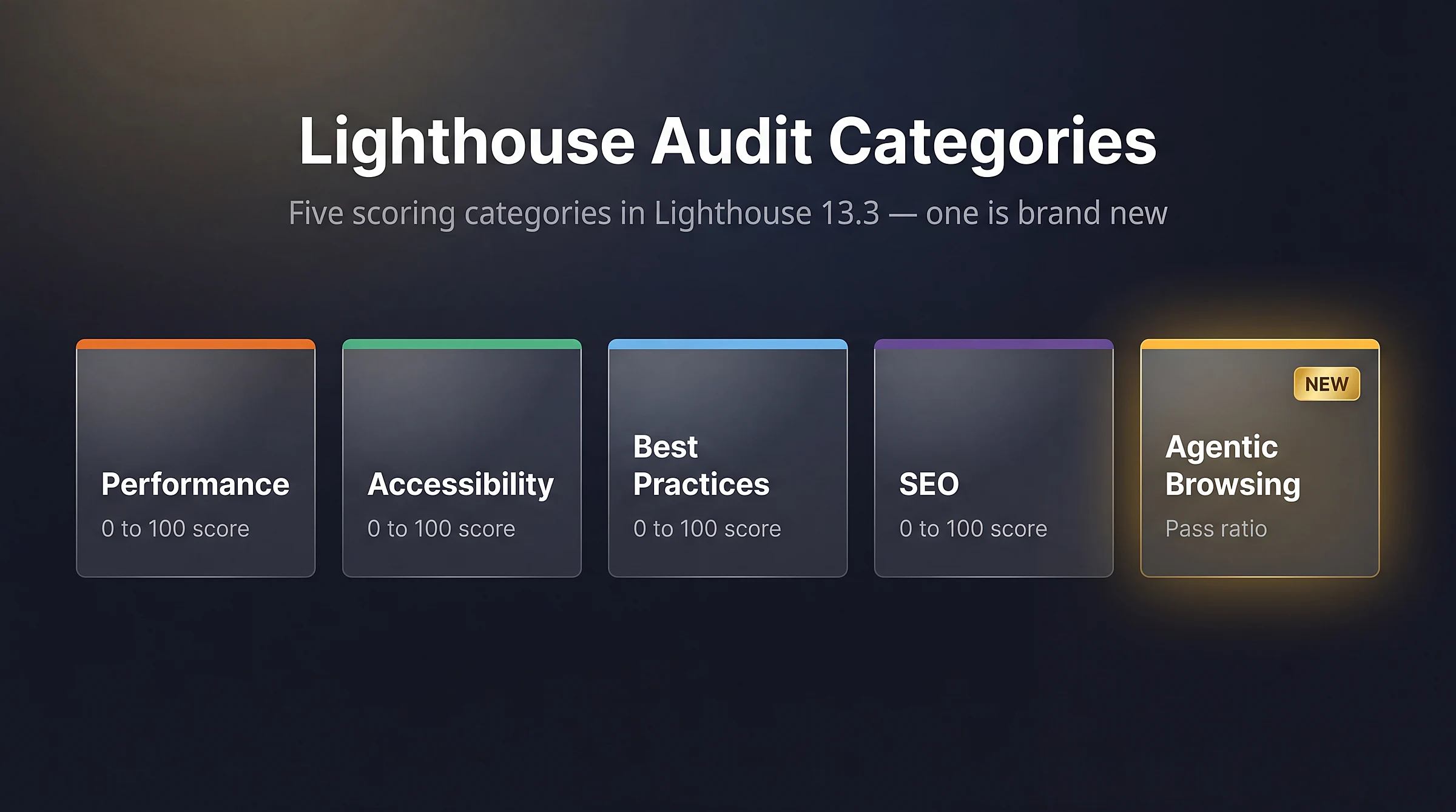
Lighthouse 13.3 ships five audit categories – four use a 0 to 100 score, and the new Agentic Browsing category reports a pass ratio instead
How the Agentic Browsing Score Works
Unlike Performance, Accessibility, Best Practices, and SEO, which all use a weighted 0 to 100 score, Agentic Browsing reports a pass ratio. You see how many checks passed out of the total, plus a pass or fail status for each audit. Google still calls the category experimental, so the lack of a numeric score is not a bug. The rules for the agent-ready web are still taking shape.
The category is part of the default Lighthouse configuration as of Lighthouse 13.3 (released May 7, 2026) and requires Chrome 150 or later. You do not need to enable a hidden flag. Open DevTools, switch to the Lighthouse tab, run a report, and the new category appears at the top of the results.
What the Audit Checks
The Agentic Browsing category runs four distinct audits. Each one targets a different way AI agents interact with your site.
| Audit | What it checks | How to pass |
|---|---|---|
| Accessibility tree | A filtered subset of accessibility audits agents rely on to understand interactive elements | Use semantic HTML, label every interactive element with ARIA, fix focus management |
| llms.txt | Presence of a machine-readable site summary at the root domain | Add a valid llms.txt file with proper headers, content, and links |
| WebMCP | Registered tools agents can call to interact with your site | Register WebMCP tools via the declarative HTML schema or navigator.modelContext.registerTool |
| Cumulative Layout Shift | Layout stability while the agent is reading or screenshotting the page | Reserve space for images, fonts, ads, and dynamically injected content |
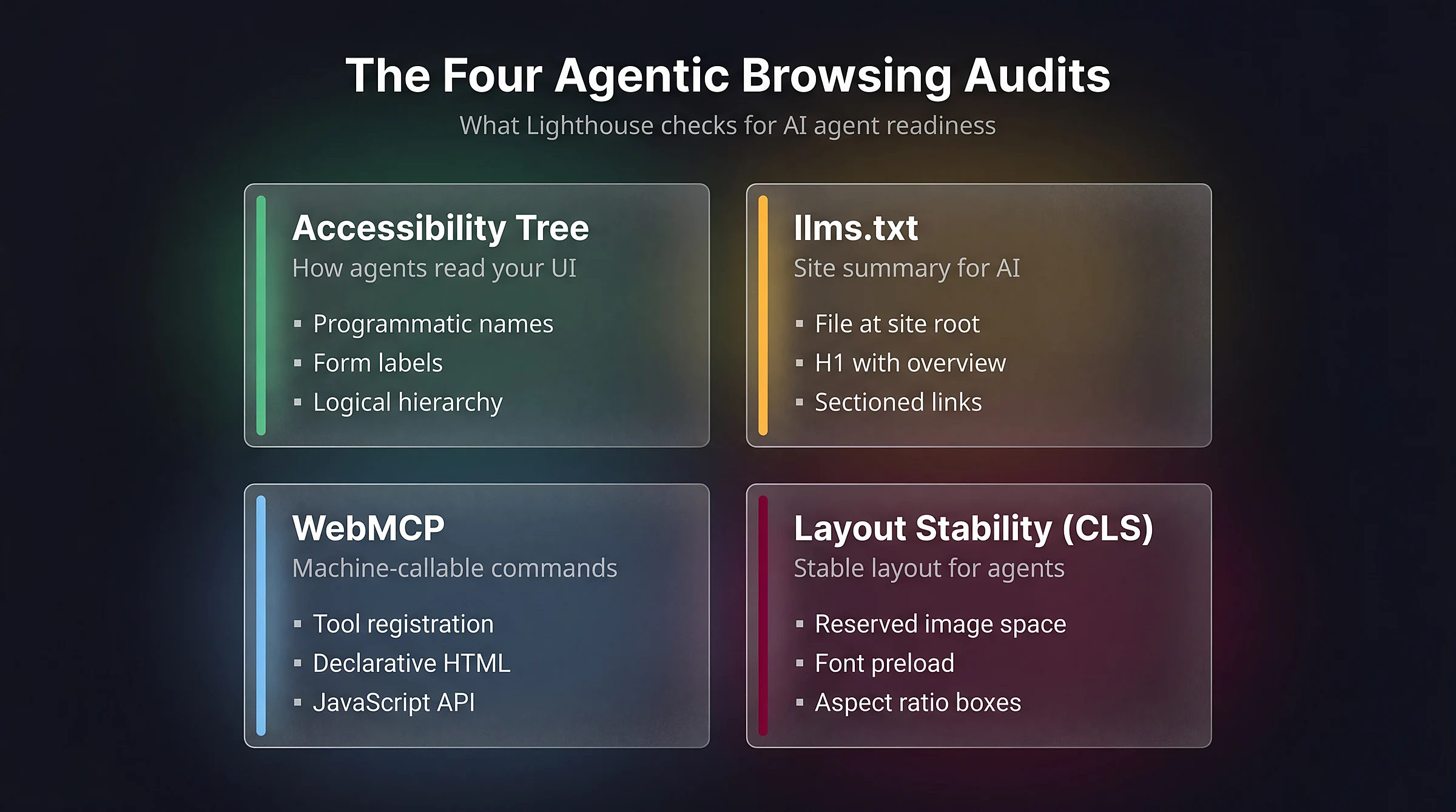
The four audits inside the Agentic Browsing category, each checking a different dimension of how AI agents read, interpret, and operate your site
The first two audits are usually the easiest wins. The third is still early and most sites will skip it for now. The fourth is the same CLS metric you already watch for Core Web Vitals.
Audit 1: Accessibility Tree
Agents do not care how polished your CSS looks. They read the accessibility tree, which is the same structure screen readers use. Every interactive element needs a programmatic name, a role, and a clear relationship to the content around it.
The Agentic Browsing audit runs a filtered subset of the existing Lighthouse Accessibility audits, focused on the checks that matter most for machine interaction:
- Buttons, links, and form controls have accessible names
- Form fields have associated labels
- Interactive elements receive focus and have visible focus indicators
- ARIA roles match their underlying elements
- Headings follow a logical hierarchy
If your site already scores well in the Accessibility category, you are probably close. The fixes are the same ones that help people who use screen readers, keyboards, or other assistive technology:
<!-- Bad: agent has no way to know what this button does -->
<button><svg>...</svg></button>

<!-- Good: explicit accessible name -->
<button aria-label="Add product to cart"><svg>...</svg></button>

<!-- Bad: input has no label -->
<input type="email" placeholder="Email" />

<!-- Good: explicit label associated with input -->
<label for="email">Email address</label>
<input id="email" type="email" />
Start with the accessibility tree. The same markup that helps this audit also improves screen reader support, semantic SEO, keyboard use, and the way AI agents understand your interface.
Audit 2: llms.txt
llms.txt is a proposed convention for a markdown file at the root of your domain. Its job is simple: give AI models a curated summary of your site. Think of it as a small, human-editable index for LLMs. The Lighthouse audit checks that the file:
- Exists at
https://yourdomain.com/llms.txt - Starts with a proper H1 heading (the site name)
- Includes a short summary block
- Contains organized sections with links to key resources
Here is a minimal example you can adapt:
# Savvy

> Custom WordPress development, performance optimization, and technical SEO services for businesses and developers.

## Documentation
- [Blog](https://savvy.co.il/blog/): Tutorials on WordPress, CSS, JavaScript, WooCommerce, and SEO
- [Services](https://savvy.co.il/#services): WordPress development, hosting, maintenance, performance, security

## Guides
- [CSS Container Queries](https://savvy.co.il/en/blog/css/css-container-queries/): Complete guide with live examples
- [WooCommerce Hooks Visual Map](https://savvy.co.il/en/blog/woocommerce/woocommerce-hooks-visual-guide/): Interactive reference for every WC template hook

## Optional
- [Contact](https://savvy.co.il/contact-us/): Get in touch about a project
The file is plain markdown. WordPress can serve it from the root with a simple rewrite rule, or you can place a static file in the document root next to robots.txt. Once Lighthouse can fetch it, this audit is usually straightforward to pass. For the full specification and the rationale behind the format, see the official llms.txt proposal.
Audit 3: WebMCP
WebMCP (Web Model Context Protocol) is the experimental part of the category. It lets your site expose specific commands, such as “search products”, “add to cart”, or “filter by category”, that an agent can call directly instead of guessing how to drive your UI.
There are two ways to register tools. The declarative way uses HTML form annotations:
<form data-mcp-tool="search-products"
      data-mcp-description="Search the product catalog by keyword">
    <input name="q" data-mcp-arg="query" required />
    <button type="submit">Search</button>
</form>
The imperative way uses the new navigator.modelContext API:
navigator.modelContext.registerTool({
    name: 'add-to-cart',
    description: 'Add a product to the shopping cart by SKU',
    parameters: {
        sku: { type: 'string', required: true },
        quantity: { type: 'number', default: 1 }
    },
    handler: async ({ sku, quantity }) => {
        return await addProductToCart(sku, quantity);
    }
});For now, I would treat WebMCP as exploratory. The score does not punish you for skipping it, and the implementation cost is still meaningful. Revisit it once the spec and browser support are less fluid.
Audit 4: Cumulative Layout Shift
The CLS audit in Agentic Browsing is the same metric you already track for Core Web Vitals. It appears here because agents often reason from screenshots and element positions. If the layout jumps, the agent may click something different from what it meant to click.
The fixes are the standard CLS best practices:
- Set explicit
widthandheightattributes on every image and iframe - Reserve space for ads and embeds with CSS
aspect-ratioor fixed containers - Use
font-display: optionalor preload custom fonts to avoid FOIT/FOUT shifts - Never inject content above existing content after page load – inject below or replace in place
If you are already passing CLS in Core Web Vitals, this audit should not add much extra work.
How to Run the Audit on Your Site
You have three options:
- Chrome DevTools (easiest): Open DevTools, switch to the Lighthouse tab, leave the default categories selected, and click “Analyze page load”. The Agentic Browsing card appears at the top of the report.
- Lighthouse CLI: Run
npx lighthouse https://yoursite.com --view. The new category is included by default in 13.3+. - PageSpeed Insights: The web version may lag the standalone Lighthouse release by a few weeks. If you do not see the category at insights.web.dev, use Chrome DevTools directly.
- Via your AI assistant: If you use Claude, Cursor, or another MCP-aware coding assistant, you can run Lighthouse audits directly from chat with the Chrome DevTools MCP server. Useful for running the same audit repeatedly without leaving your editor.
What to Do First
If you have one hour, start with the accessibility tree audit. It gives you the most useful overlap: better agent readability, better keyboard support, and better screen reader support.
If you have one afternoon, write a proper llms.txt and fix any obvious CLS issues. Both are deterministic, relatively low-cost, and easy to verify.
If you have a week and a research budget, prototype WebMCP on one high-value flow: search, add to cart, or find a document. Treat it as preparation, not production-critical work.
For a complementary check across signals that Lighthouse does not cover (schema completeness, sitemap quality, citation-readiness for LLM answers), run our AI Visibility Audit Tool on your site. It scores the non-browser side of the agent-ready web.
FAQs
Common questions about the new Lighthouse Agentic Browsing audit.
llms.txt, stabilize.llms.txt is not used for Google Search ranking, and the rest of the audit is not a ranking signal either. However, the underlying fixes, such as semantic HTML, ARIA labels, and CLS stability, already support SEO and Core Web Vitals work.robots.txt tells crawlers which URLs they may or may not visit. llms.txt is a markdown file that gives AI models a curated summary of your site's structure and key resources. The two files coexist. robots.txt remains the standard for crawl control, while llms.txt is a hint layer for language models that browse on a user's behalf.llms.txt file in your document root, next to robots.txt. If you want it generated dynamically from your post structure, you can hook into init in your theme or a custom plugin and serve a virtual file with rewrite_rules_array. Some SEO plugins have started adding llms.txt generation as a built-in feature.Summary
Lighthouse Agentic Browsing is a pass ratio, not a 0 to 100 score, and that distinction matters. Google is saying that the agent-ready web is still being defined, while also giving developers a first set of checks they can run today.
The four audits, accessibility tree, llms.txt, WebMCP, and CLS, cover the practical checks that exist now. Three are within reach for any site that already cares about accessibility and Core Web Vitals. The fourth, WebMCP, is worth watching but not yet worth shipping for most projects.