
WordPress lets you create an excerpt for posts by entering text in the excerpt box on the post edit screen. But excerpts are not available for pages, and there is no way to enable this through the WordPress admin.
If you want to add the excerpt box for pages too, add the following code to your theme’s functions.php file:
<?php

// START COPY FROM HERE
function add_excerpt_pages() {
    add_post_type_support('page', 'excerpt');
}
add_action('init', 'add_excerpt_pages');
After adding the code, edit a page and click “Screen options” in the top-left corner of the screen.
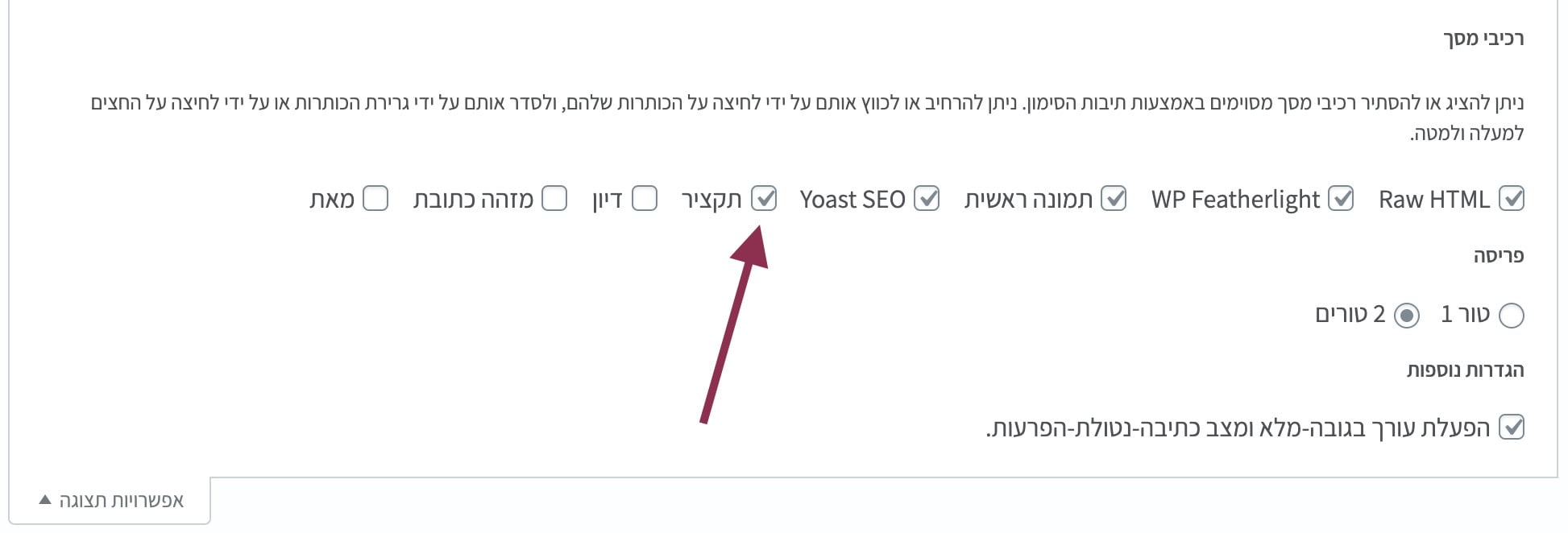
How to enable excerpt for pages in WordPress
Check the Excerpt box and you are done. You will now see an excerpt box for all pages on your site…
For safe theme customizations, see What Are Child Themes and How to Use Them.