
This week I tried to update a theme on a WordPress site and ran into the error Fatal Error: Maximum Execution Time Exceeded in WordPress. The fix in this case is simple, but can be frustrating for beginners. Here is how to fix the Maximum Execution Time Exceeded error in WordPress.
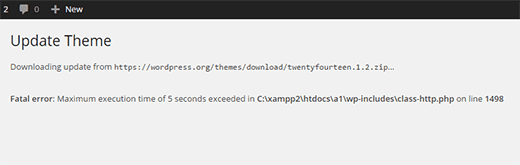
WordPress is largely built on PHP, and to protect servers there is a limit on how long a PHP script can run. Some hosting providers allow longer execution time and others limit it more strictly. When the script hits the limit, you get this message.
How to fix it?
To change the PHP script execution time limit, connect via FTP to your server, find the .htaccess file in the same directory as wp-content and wp-admin. Edit the file and add:
<IfModule mod_php7.c>
    php_value max_execution_time 300
</IfModule>
This sets execution time to 300 seconds (5 minutes); you can change it as needed. For reference, the Avada theme version 3.8 requires at least 180 seconds to work properly.
*Note the PHP version in the code – adjust if needed for your server.
For more wp-config.php tweaks, see Optimize WordPress Configuration via wp-config.php.