
To create a custom page template as the homepage in WordPress, duplicate page.php from your theme’s main directory or create a new PHP file and add the following code at the top:
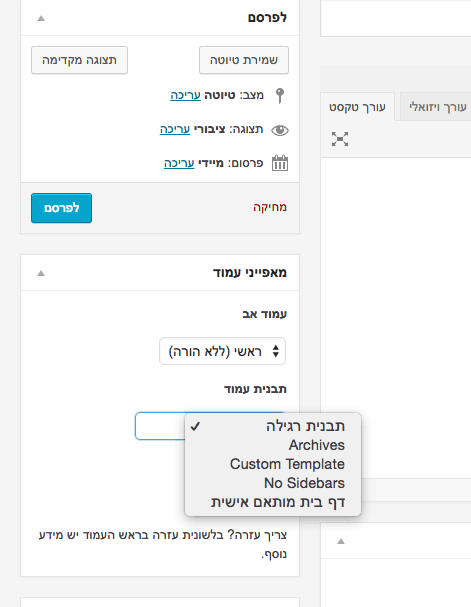
<?php /* Template Name: xxxxxx */ ?>Replace xxxxxx with the name that will appear under “Page Attributes” when you create a new page.
Go to your WordPress admin panel, create a new page and select this template.
After publishing the page, go to Settings > Reading in the WordPress admin.
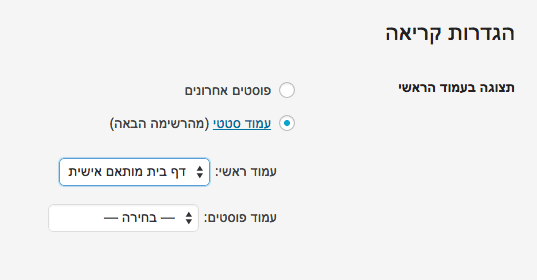
Select your page as the homepage. That is it – you now have a custom homepage. See the post on WordPress page templates.